Use this when
- You publish from the same Reddit accounts often and do not want to create a new order by hand every time.
- You manage a creator, founder, client, or campaign account and want new Reddit posts scanned automatically.
- You need subreddit rules around automation, such as only supporting posts in approved communities or excluding bad-fit subreddits.
- You want a small, repeatable vote setup that starts quickly after a new post goes live.
Steps
- Open the dashboard sidebar and go to Profile Auto Voter.
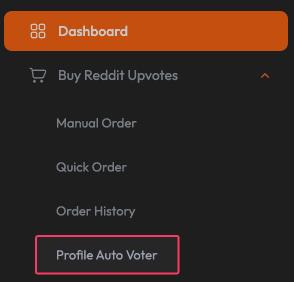
Profile Auto Voter lives in the dashboard sidebar under the Reddit upvote tools. - Click New Profile to create a new Auto Voter setup.
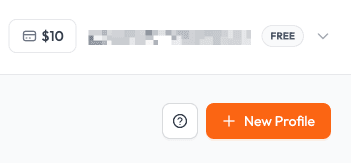
Start by clicking New Profile. Check that your account has enough balance before relying on automation. - Enter a clear Profile Name so you can recognize the campaign later.
- Choose the Target. Use Post when you want to support new submitted posts, or Comment when the account's new comments should be scanned.
- Add the Reddit usernames you want to monitor. The username can be entered with or without u/.
- Choose a Subreddit Filter Mode. Default watches the selected users everywhere, Whitelist only creates orders inside selected subreddits, and Blacklist creates orders except inside selected subreddits.
- If you choose Whitelist or Blacklist, add the subreddit names. The subreddit can be entered with or without r/.
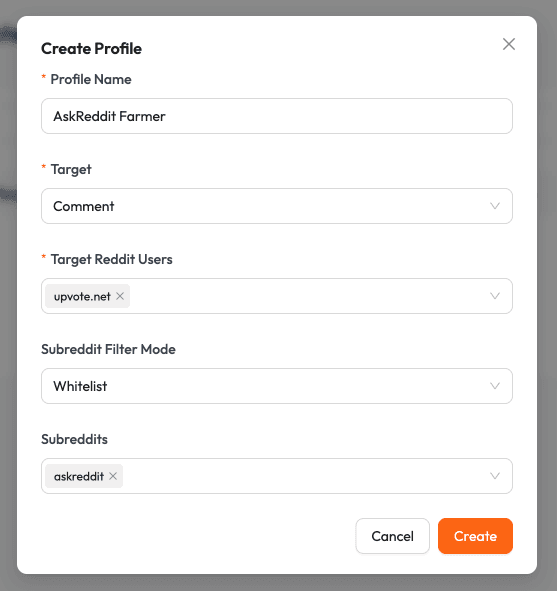
The create form controls the monitored account, target type, and subreddit filter rules. 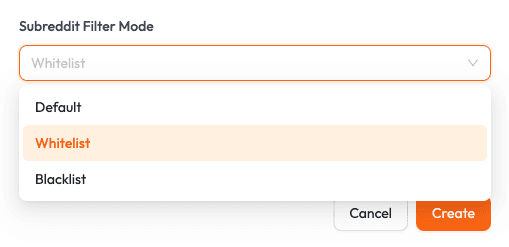
Use Whitelist for approved subreddits only. Use Blacklist when most subreddits are acceptable except a few. - Click Create. The profile opens on the Profile Details page, where it starts with no configuration orders yet.
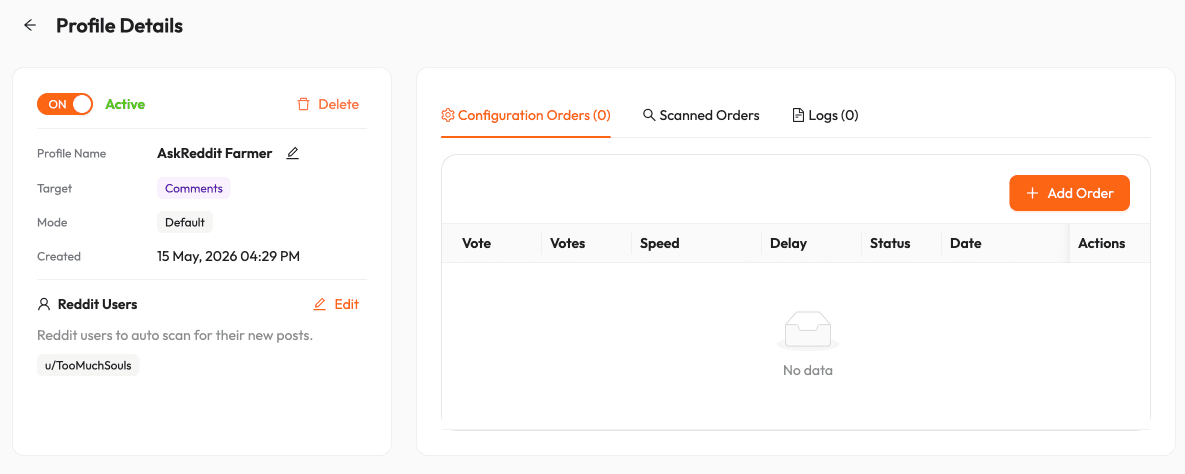
A new profile can be active, but it still needs configuration orders before it knows how many votes to send. - Click Add Order and define what should happen when the profile finds a matching new post or comment.
- Choose the vote type, number of votes, speed, and pre-start delay. Use Random Votes if you want the order size to vary within a range.
- Review the order list, then click Create Order.
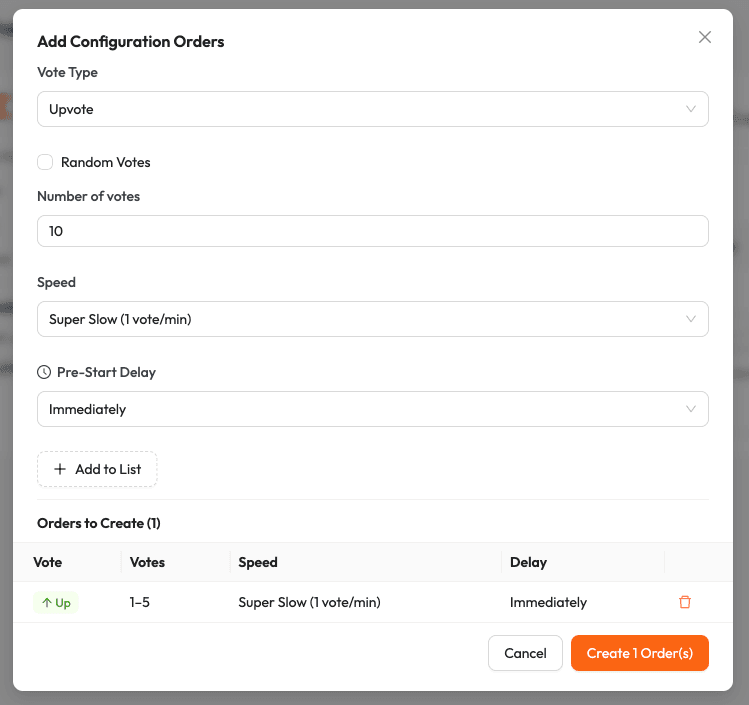
Each configuration order defines the vote amount, speed, delay, and whether the amount should be randomized. - Turn the profile ON when you are ready. If the profile stays OFF, it will not create automatic orders.
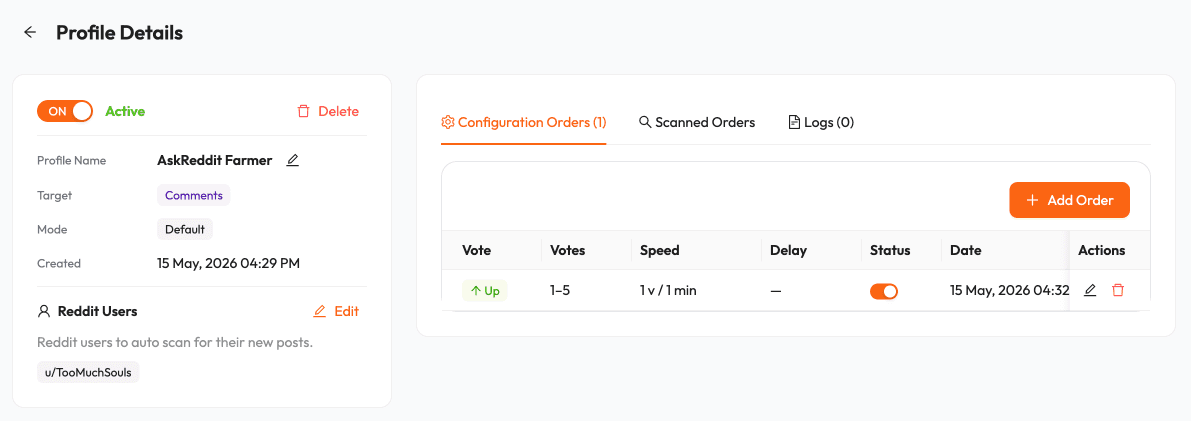
Turn the profile ON only after the configuration orders are correct. - Keep enough balance or credits available. If the account does not have enough funds when a matching post is found, the automatic upvotes cannot be sent.
Tips that improve results
- Use one profile per campaign, client, creator, or Reddit account. Mixing unrelated users makes logs harder to read and increases the chance of bad-fit orders.
- Start with small numbers and slower speed. Auto Voter is best for consistent support, not for forcing an unrealistic vote pattern.
- Use Whitelist when only a few subreddits matter. Use Blacklist when the account posts mostly in good-fit communities but occasionally posts somewhere you want to exclude.
- Use a pre-start delay when the subreddit usually needs a few minutes of natural activity before support begins.
- Review the profile after the first few automatic orders. Confirm the URLs, subreddit match, timing, and standing status before scaling.
Common mistakes to avoid
- Do not put unrelated users or clients into one profile.
- Do not leave Default mode on if the monitored user posts in many irrelevant communities.
- Do not create aggressive automatic orders for every post if the target subreddit normally moves slowly.
- Do not turn the profile ON before checking the vote amount, speed, delay, and subreddit filters.
- Do not rely on Auto Voter when a post needs manual judgment. Use Manual Order for one-off posts that need a different setup.
Need the panel while you follow the guide?
Open the dashboard in another tab, then return to this guide for reference.
Open dashboard