
 Added by Reddit Comment Helper
 r/SaaS3 hr. ago
What’s one onboarding change that actually moved your activation rate?
We get decent trial signups, but most people never finish setup. We’ve tried welcome emails and a checklist. Neither changed much.
What worked for you?
Works in Chrome, Edge, Brave, Arc, Vivaldi, and other Chromium browsers.
The extension sends these with every draft request.
From the thread
From you
You get
A Reply Draft, ready to edit in Reddit’s reply box
It all happens in Reddit’s reply box. You never leave the thread.
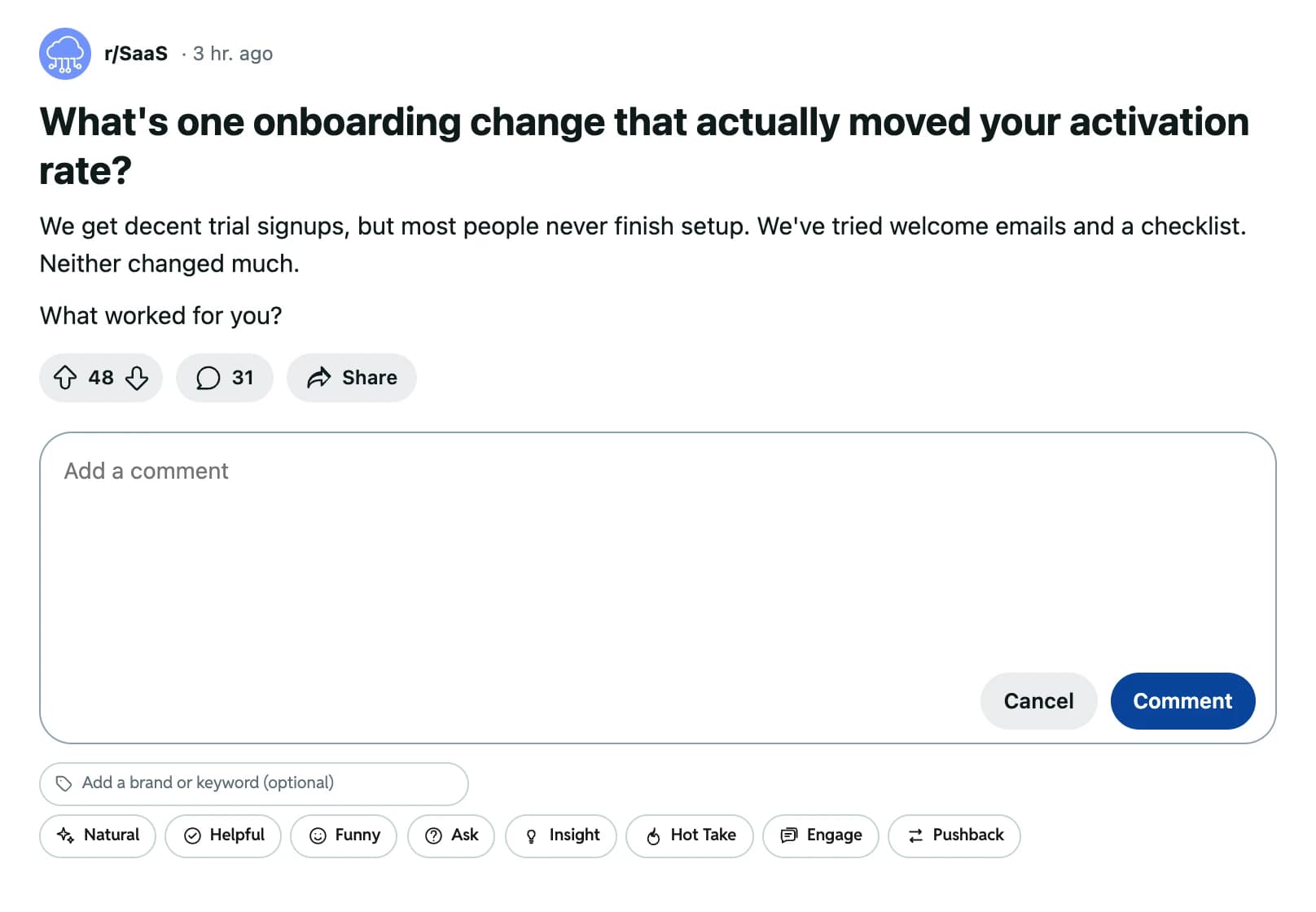
Open a Reddit post or comment and start a reply, the way you always do.
Click one of the 8 style buttons under the reply box. For example, Helpful or Ask.
Want a product name in the reply? Type it into Add a brand or keyword first. That’s your Comment Keyword. It stays set until you clear it.
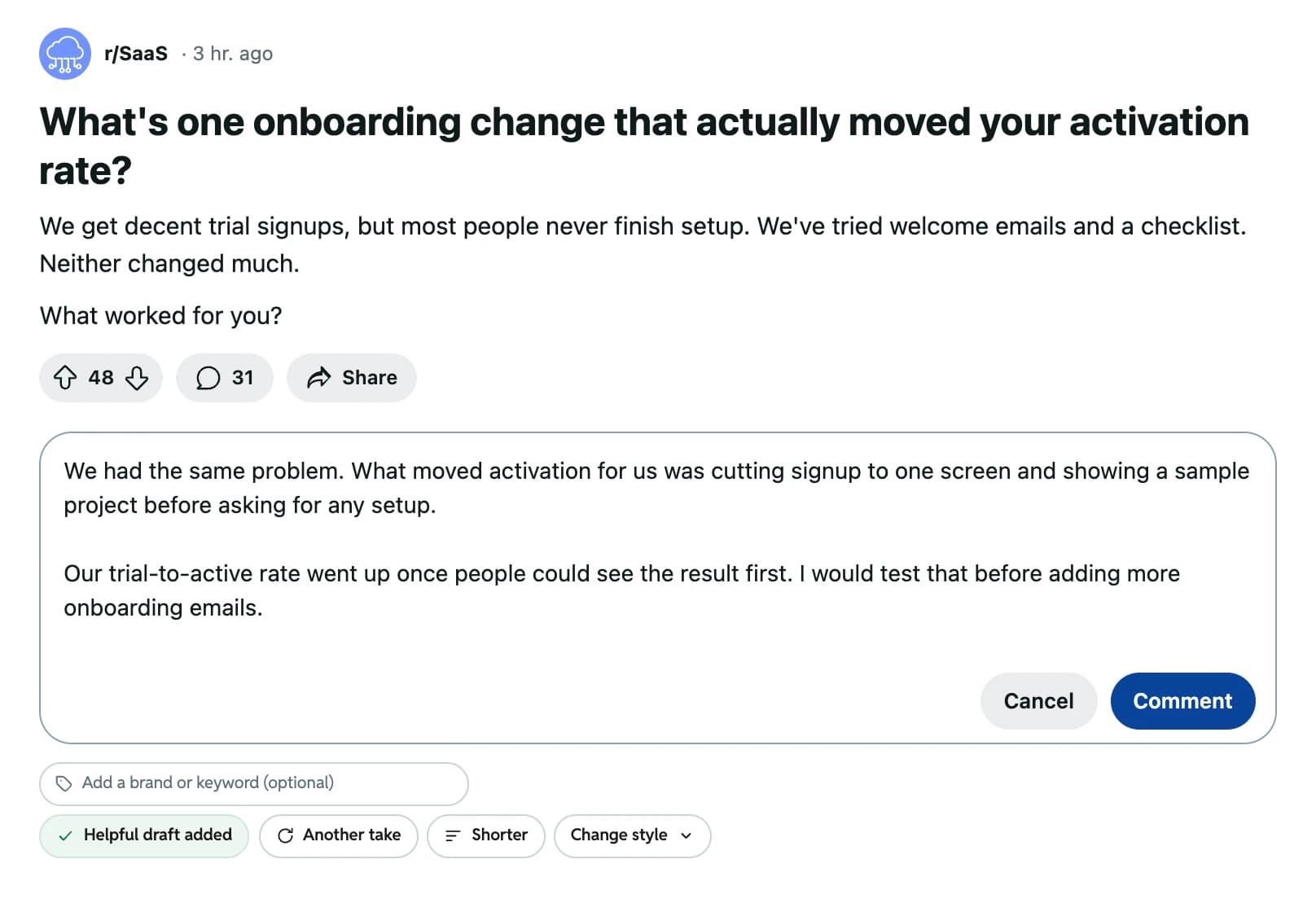
The draft fills the reply box. Not quite right? Click Another take or Shorter.
Edit the draft, then click Reddit’s own Comment button.
Each style changes the angle of the draft. Your voice stays the same. Pick a style below to see how it might reply to this r/SaaS post.
r/SaaS3 hr. agoWe get decent trial signups, but most people never finish setup. We’ve tried welcome emails and a checklist. Neither changed much.
What worked for you?
Reply style
Sample Natural draft: Honestly, I’d just talk to a few people who quit halfway. They’ll tell you more than another email test.
Natural: Your normal voice, with no extra angle. Best when the post asks for advice.
We wrote these sample replies for this page. Your drafts follow the thread you open and the way you write. Missed the mark? Click Change style and pick another one.
Interests to pick from
Here’s one sample draft. Each highlight shows which of your inputs shaped that part.
For us it was the sample project. (How it sounds) We run a small analytics tool for indie founders (Facts about you), and once your product (The name it mentions) opened with demo data, people finished setup to see their own numbers. I’d try that before another email.
No Practice Replies or Voice Source Account yet? Drafts use the General Voice, and the extension warns you they’ll sound very general. Reset Voice in Settings starts you over.
Drafts are paid from your Upvote.Net balance. You only pay for the drafts you ask for.
The popup shows your balance. If it runs low, the extension tells you and links you to Upvote.Net to top up.
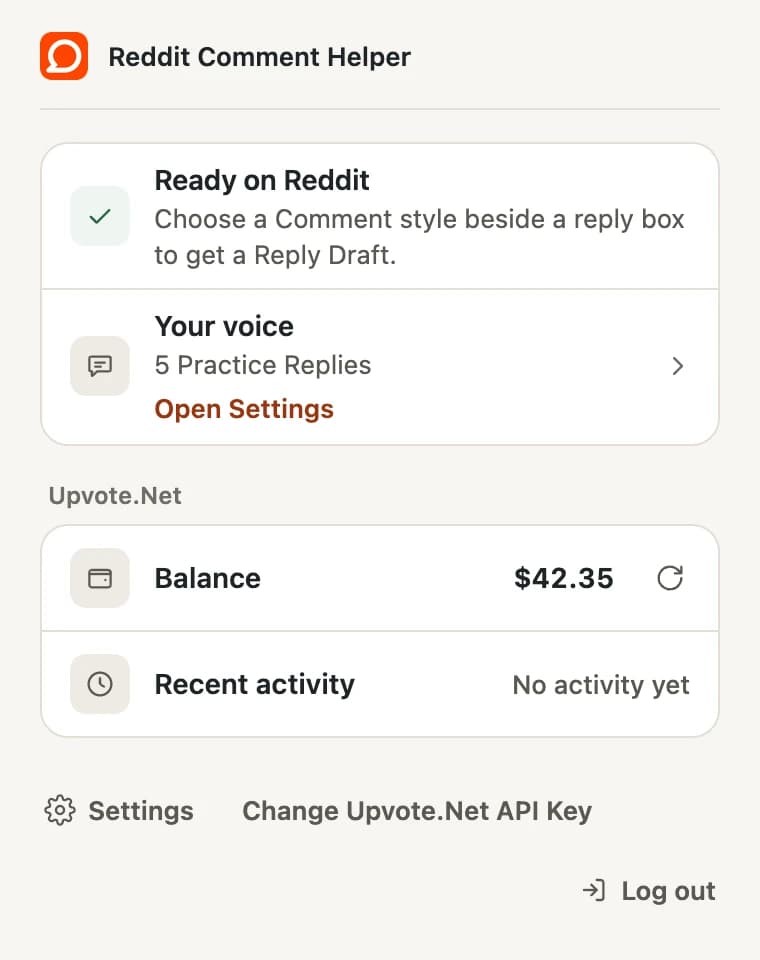
Your profile and settings are saved in your browser. The extension only sends data when you ask for a draft, sign in, open the popup to see your balance, or add or refresh a Voice Source Account.
Reddit pages can’t read this storage. It stays until you change it in Settings, log out, use Reset Voice, or remove the extension.
It’s free to install. Drafts are paid from your Upvote.Net balance, and nothing posts until you click Comment.
Add it to Chrome
Pin it to your toolbar so the popup stays one click away.
Connect your Upvote.Net account
Open the popup and click Login with Upvote.Net, or paste your API key.
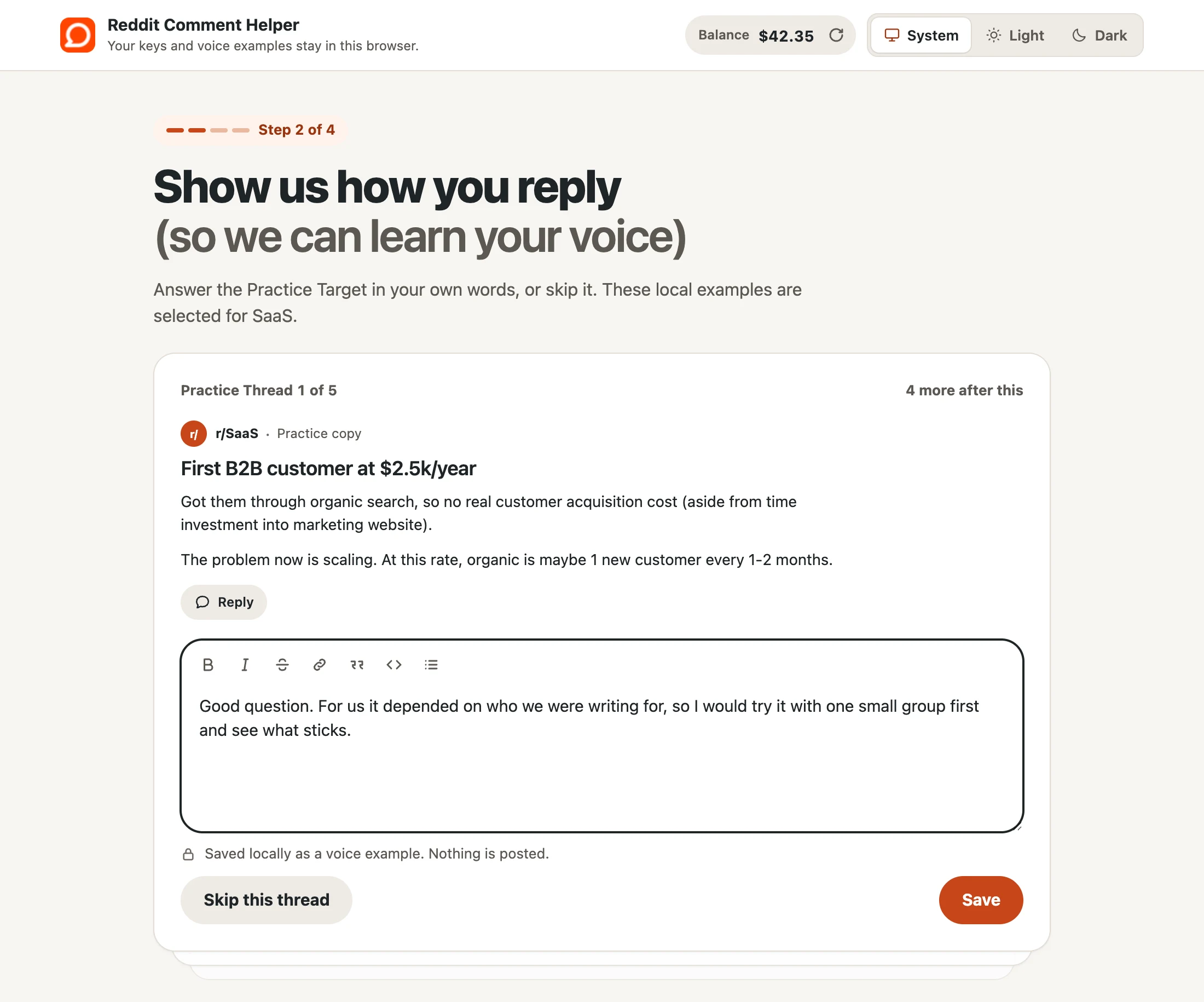
Answer up to five practice threads
Your Practice Replies show the extension how you write. Skip any you don’t want to answer.
Reply on Reddit
Start a reply, pick a style, and edit the Reply Draft. Then click Comment yourself.